
Battery Separator Film Roller Contact Problems: Scratches, Static Marks, and Particle Contamination
A separator roll can look clean on the upstream side and still show fine lines, small dots, or static-like traces after one guide, transfer, traction, or contact section. Sometimes the mark is too light to notice at first. It only becomes clear after inspection, winding, or a short production run.
When this happens, the first question is simple: did the surface change before or after this roller contact?
If the defect was already there before the suspected section, the source is probably upstream. If the film was clean before the roller and changed after it, the contact point deserves a closer look. The issue may come from a small scratch on the roller face, a hard particle caught in the path, static attraction, weak grounding, or a film side that is more sensitive than expected.
Start With the Roller Position Where the Change Begins
Final inspection does not always show where a separator defect started. By that point, the film may have touched many rollers. A better first step is to compare the film just before and just after the suspected contact point.
If the mark appears after one roller group, do not change speed, pressure, cleaning method, and grounding all at once. Confirm the first changed position first. Then adjust one condition at a time if the line allows it.
This matters in separator handling because the film is thin, light, and sensitive. A small particle that would not affect a tougher web can leave a visible dot. A light rub at the wrong angle can become a fine line. Charge that stays on the film can bring dust back to the same path after cleaning.
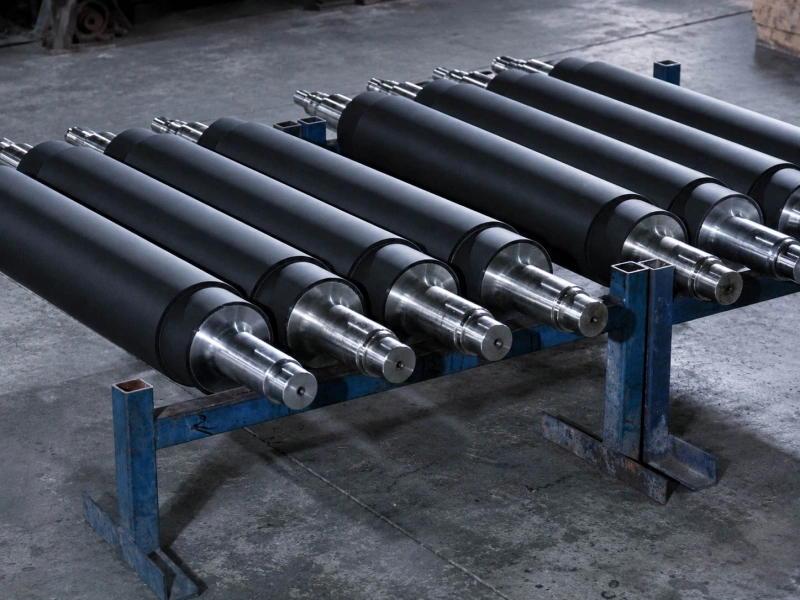
This type of before-and-after check is especially useful around lithium battery line rollers, where separator film often passes several light-contact positions before the defect is finally seen.
A Straight Scratch, a Static Mark, and a Particle Dot Need Different Checks
These problems may appear near the same roller, but they should not be treated as the same defect.
| What Appears on the Film | More Useful First Direction |
|---|---|
| Long fine scratch | Check roller face, guide angle, edge contact, and hard particles |
| Short random scratch | Check loose particles, wiping method, and dirty contact points |
| Static-like trace | Check charge buildup, separation point, grounding, and dry-room condition |
| Small local damaged point | Check repeated approach or leaving points near roller contact |
| Dots or specks | Check particle source, static attraction, and what is carrying particles back |
| Particles return after cleaning | Check roller surface condition, static control, and cleaning cycle |
A fine straight scratch usually needs a contact-path check. A static mark often starts where the film approaches, touches, or leaves a roller. Particle contamination needs two answers: where the particles come from, and how they reach the film.
When Fine Scratches Appear After Guide or Traction Contact
When scratches appear after a guide section, do not jump straight to the roller material. Start with the way the film touches the roller.
A slight alignment change can make one edge rub harder than the rest of the web. A small nick, hard deposit, or dirty band on a guide roller can leave a machine-direction line. The roller may feel smooth by hand, but a sensitive separator surface can still pick up the mark.
Side light helps. Look for tiny cuts, dents, dry residue, polished strips, rough wiping marks, and edge-side contamination. Then look at the film path. A sharp entry angle, larger wrap, or small side movement can turn normal contact into rubbing contact.
At traction positions, the question is slightly different. A traction roller may not scratch the film directly, but uneven grip can make the film slip slightly and then catch again. If particles are already present, that unstable contact can press them into the surface or create short random marks.
If the scratch moves when the guide position, pressure, or film path changes, the contact condition is more important than the material name alone.
Static Marks Often Look Like Dust or Light Damage at First
Static problems on separator film often look like contamination at first. The roller is wiped, the line runs again, and the dots come back near the same path. In dry-room sections, charge from unwinding, roller contact, and film separation may not disappear quickly.
Static becomes worth checking when:
- fine particles return soon after cleaning;
- dots increase as speed increases;
- film clings near one roller, frame, or metal part;
- marks appear near the same approach or separation point;
- small local damaged points repeat near a discharge-prone area.
Pinhole risk should be handled carefully. Not every pinhole or weak point comes from roller contact. But when small local damage repeats near the same roller approach, separation point, or nearby metal part, static discharge risk should be checked together with the film path and grounding condition.
For separator positions where static returns again and again, Anti-Static / Conductive Rubber Rollers may be worth reviewing. The direction should match the actual grounding path, roller position, film side, and surface requirement. The word “anti-static” by itself is not enough.
For wider static and dust behavior in roll-to-roll lines, see Static and Dust Problems in Web Handling.
When Particles Keep Coming Back After Cleaning
If particles return to the same roller path after cleaning, the problem is not only whether the surface was wiped. The better question is what is holding or carrying the particles.
A sticky, damaged, polished, or dirty roller surface can carry particles around and transfer them back to the separator. A hard deposit may slowly break loose and create random dots. A rough wiping method can also leave new fine scratches while trying to clean the old contamination.
The cleaning result gives useful clues. White powder, black specks, dried residue, sticky dirt, and general dust usually point to different sources. If the same type of residue comes back in the same zone, the source is still active.
For particle-sensitive sections, Cleaning and Sticky Rollers can be reviewed. The goal is not only to pick up dust. The cleaning contact must avoid shedding, over-pulling the separator, leaving residue, or transferring contamination back to the film.
The Contacted Side and Film Path Can Change the Result
Separator film may not react the same way on both sides. A coated side, treated side, or cleaner side may show marks that the other side does not show. If the defect appears only when one side touches the roller, record that side before changing the roller.
The film path can also turn a normal roller into a marking point. A larger wrap angle gives longer contact. A sharp entry angle increases rubbing. Edge movement can move one side into a harder contact area. A roller that worked before may start marking after the threading route, roller diameter, or guide position changes.
At this stage, keep the notes simple:
- which side touched the roller;
- where the mark starts;
- whether the film path changed recently;
- whether the mark moves when the path moves;
- whether speed or dry conditions make the problem worse.
If the issue begins near slitting knives, lane separation, edge dust, or rewinding pressure, keep it out of this review. Those problems belong to slitting or rewinding investigation, not separator roller-contact defects.
When Wolorin Should Review the Roller Direction
A roller review becomes useful when the evidence stays close to one contact position. The defect appears after one roller, returns after cleaning, gets worse at higher speed, or moves when the film path changes.
For a normal replacement, drawings, size, known hardness, roller position, and old roller photos may be enough to start.
For repeated separator scratches, static marks, or particle contamination, Wolorin would usually look at the roller surface condition, cover material direction, hardness range, cleaning method, grounding path, and the actual contact side. The old roller is also useful. If the old roller ran better than the new or reworked roller, that difference can help narrow the direction.
Two rollers can share the same material name and still behave differently on separator film. Surface finish, cleanliness, hardness, and real contact behavior can change the result.
For wider mark judgment across web materials, see Surface Marks on Web Materials.
What to Send Before Confirming the Roller Direction
A short record tied to the exact roller position is better than a long general description.
Send the defect photos before and after the suspected roller, roller surface photos before and after cleaning, the contacted separator side, the cleaning result, and any static reading if available. If you already have drawings, size, hardness, samples, or old roller photos, include them as well.
Use position-specific wording. “Particles after transfer roller 3” is more useful than “separator is dirty.” “Scratch appears after the guide roller on the coated side” is more useful than “film has lines.”
Related Pages
Send Drawings or Roller Details
Before changing the roller direction, confirm where the separator first changes. Add defect photos, roller surface photos, contacted side, cleaning result, and static reading if available.
If you already have drawings, sizes, samples, or a clear specification, you can send them to Wolorin directly. We can proceed with custom manufacturing, quotation, or production confirmation based on your documents.
If the information is not complete yet, start with the roller position, defect type, contacted side, and the issue you want to solve.