
Battery Separator Film Slitting and Rewinding Problems: Wrinkles, Edge Damage, and Static Dust
Battery separator film problems during slitting and rewinding are often first noticed on the finished roll: a light wrinkle, a fuzzy slit edge, powder near the edge, dust on the surface, or a roll edge that no longer builds cleanly.
The defect may be found at the rewind, but it does not always start there. With separator film, a small movement before the knife can become a wrinkle after rewinding. A weak slit edge can create dust that travels downstream. A contact point that looks acceptable on ordinary film may still pick up particles or static on separator film.
The first job is not to adjust everything. Watch where the problem starts.
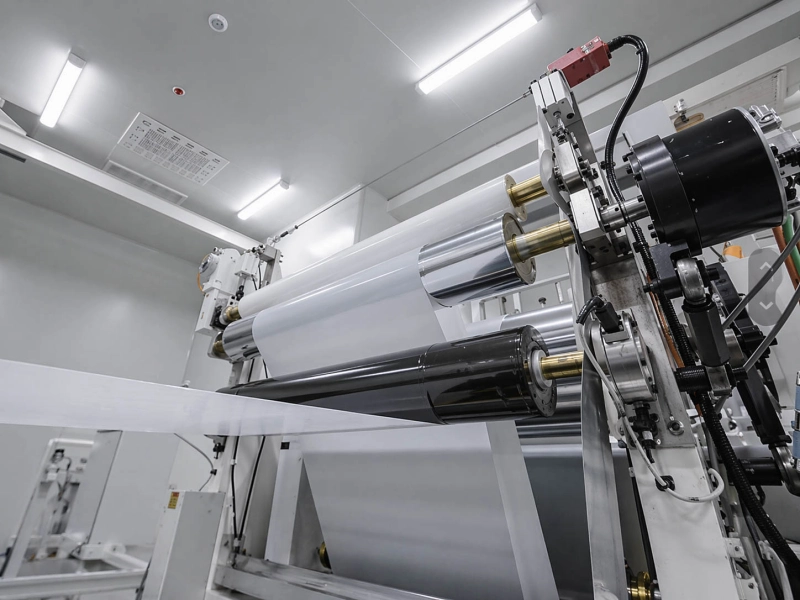
Start from the First Point, Not the Final Roll
Many separator slitting problems become confusing because the final roll shows several symptoms at once. The roll may have a wrinkle, edge dust, and a loose edge. But these signs may come from different places.
Use the first visible point to narrow the direction.
| Where the problem first appears | What it usually points to |
|---|---|
| Before the knife | Low-tension web movement, guide contact, unwind stability |
| At the knife | Blade condition, lane difference, edge support |
| Right after the knife | Slit-edge weakness, cutting dust, waste edge path |
| After one contact point | Static, surface cleanliness, local roller contact |
| During roll build | Rewind pressure, lane tension, roll edge formation |
This one check can save a lot of time. If the film is already wrinkled before it reaches the blade, changing the knife will not remove the real cause. If dust is born at the cut, cleaning the rewind roll only removes the result. If the roll edge changes only after the diameter grows, the rewind section deserves more attention.
If Wrinkles Are Already There Before the Knife
Separator film wrinkles often start quietly. The film may lift slightly from a guide surface, shake between rollers, or form a shallow diagonal wrinkle before anyone sees a clear defect.
For separator film, simply increasing tension is a risky habit. It may make the web look flatter for a short time, but the film can be stretched, deformed, or made less stable at another point. Cleaner running is often better than stronger pulling.
Watch the film before it reaches the blade. If the wrinkle appears during acceleration, deceleration, roll diameter change, or after a certain guide point, the first review should stay around the web path and tension zone.
A few useful signs:
- one side of the web looks tighter than the other;
- the wrinkle appears only at certain speeds;
- the film moves after one guide point;
- the problem changes as the unwind or rewind roll becomes larger or smaller;
- the wrinkle is visible before the slit edge is formed.
In this situation, Tension Control Rollers may be worth checking if the unstable area repeats around the same position. The check does not need to become complicated. Look at rotation, side-to-side contact, bearing drag, surface cleanliness, and whether the wrinkle appears right after that roller.
When the Slit Edge Starts Making Dust
Edge damage on separator film usually shows up as a fuzzy edge, small nicks, fine cracks, or powder along the slit. Do not rush to call it a rewind problem. A weak edge may already be made at the knife.
The fastest way to narrow it down is to compare lanes. If one lane is always worse, look at that blade, holder, knife position, and edge support. If the defect moves when the knife position changes, the knife area is giving you the answer. If the same side of the parent roll stays weak across different knives, the film condition before slitting also needs attention.
Dust from the knife area can be misleading. It may be created at the cut, then show up later on a guide surface, contact roller, or finished roll. That is why the first dust location matters more than the final dust location.
Keep the review practical:
- Where is the dust first visible?
- Is it stronger near one blade?
- Does it follow one lane?
- Does it increase after the waste edge path?
- Does it become worse after the film touches one downstream surface?
If edge movement or dust clearly increases after a specific contact point, Slitting and Rewinding Line Rollers may be part of the check. If the weak edge begins at the blade, keep the first work around the knife area.
Why Static Dust Comes Back After Cleaning
Static dust on separator film often comes back because the line has three things happening at the same time: particles are being created, charge is building up, and the film is touching or separating from a surface.
Cleaning may help for a short time. Then the dust returns at the same side, the same guide area, or the same contact point. At that moment, the question is no longer just “is the room clean?” It is also “where is the charge and where is the particle source?”
If dust starts at the blade, stay with cutting and dust removal. If dust appears after the film leaves a roller or guide surface, static and clean contact become more important. If only one side is worse, compare grounding, edge path, local airflow, and contact condition on that side.
For contact-related static problems, Anti-Static / Conductive Rubber Rollers can be useful only when their position matches the real dust path. Their role depends on grounding, surface condition, separator contact, and whether the film passes that point before the dust appears.
They should not be treated as a magic fix. A static roller cannot replace knife-area dust removal, poor cleaning practice, or a weak clean-room process. But when dust returns after contact or separation, the anti-static or conductive roller position is worth reviewing.
For broader static behavior in web lines, Static and Dust Problems in Web Handling can support the next check. For separator slitting and rewinding, keep the focus on the knife area, clean contact, and the first surface where dust returns.
Coated Separator: The Side Facing the Roller Matters
Ceramic-coated separator or other coated separator may not behave the same on both sides. One side may pick up more dust. One side may be more sensitive to pressure. One side may change release behavior when it touches a guide, traction point, lay-on contact, or rewind surface.
This does not mean every coated separator problem is a roller problem. It means the contact side needs to be recorded.
A very simple note can help:
“The coated side faces the guide roller when the wrinkle appears.”
“The uncoated side contacts the traction roller, but dust is stronger on the coated side.”
“The roll edge changes after the coated side faces the lay-on contact.”
These details are more useful than saying only “separator film has wrinkles” or “separator film has dust.” They show whether the defect follows the film side, the roller position, or the slitting lane.
For Lithium Battery Line Rollers, this side-contact information can help narrow the roller surface direction, clean-contact requirement, and whether a standard replacement direction is enough.
Rewinding Can Make a Small Problem Permanent
Some separator film defects are small before rewinding. The web may still look acceptable. But once the roll builds, the defect is pressed into the layers. A light wrinkle becomes a roll wrinkle. Fine dust becomes a particle impression. A small lane tension difference becomes a loose edge or tight lane.
Do not look only at the finished roll. Look at when the roll starts to change.
If the defect starts near the core, check the first wraps, core fit, starting tension, and how the web is attached. If the roll looks good at first and then changes as the diameter grows, compare rewind pressure, lane tension, edge position, and trapped air at that stage.
Separator film does not like rough pressure correction. Too much contact can flatten or deform the film. Uneven contact can make one lane build harder than another. For coated separator, the side facing the rewind contact may also change the result.
A good rewind check is simple: watch the first wraps, then watch the point where the edge stops building cleanly. That moment tells more than the final roll photo alone.
When the Roller Position Is Actually Worth Checking
Not every separator slitting problem should be pushed to rollers. The knife area, film batch, low-tension web path, static control, cleaning, and rewind setting may all be involved.
A roller position becomes worth checking when the defect has a position pattern.
Check Guide Rollers when the film path shifts after one guide point, the edge starts moving, or a wrinkle begins right after the guide section.
Check Traction Rollers when the separator slips, hesitates, releases suddenly, or loses stable movement near a driven contact point.
Check clean-contact or anti-static roller positions when dust returns on the same surface, the film clings during separation, or one side of the roller shows more dust, wear, or contact change.
For a normal replacement roller, drawings, dimensions, hardness, roller position, and old roller photos are often enough to start. For repeated separator wrinkles, edge damage, or static dust, add photos or short videos showing the first point where the defect appears.
What to Send for Review
The most useful information is not a long machine description. It is a clear path of the defect.
| Information | What helps most |
|---|---|
| Separator film | Type, thickness, coated or uncoated, which side contacts the roller |
| First defect point | Before knife, at knife, after contact, or during rewind |
| Wrinkle | Edge, center, diagonal, one lane, all lanes, speed-related |
| Edge damage | Affected lane, blade number, edge photo, dust near blade |
| Dust | First dust location, cleaning response, one side or both sides |
| Rewind | Roll diameter where the issue starts, roll edge photo, loose or tight lane |
| Roller | Position, size, hardness if known, surface condition, recent change |
Three photos are usually a good start: one close-up of the defect, one wider photo showing film direction and lane position, and one photo of the nearest knife or roller position.
Related Pages
Send Drawings or Roller Details
Before changing too many settings, record where the separator first wrinkles, where edge damage starts, where dust first appears, and when the rewind roll begins to change.
If one roller position is involved, send the roller drawing or basic dimensions, position on the line, old roller photos, surface condition, hardness if known, and the defect seen near that position.
If you already have drawings, sizes, samples, or a clear specification, you can send them to Wolorin directly. We can proceed with custom manufacturing, quotation, or production confirmation based on your documents.
If the information is not complete yet, you can still start with the separator type, roller position, contact surface, and the issue you want to solve.