
What Causes Web Tracking Problems Around Rollers?
When a film, foil, paper, nonwoven, or other web material starts drifting across the line, the problem is usually easy to see but harder to locate. The edge will not stay in position. The web may snake from side to side. Slit width may change. One edge may rub near a guide side, sensor, frame, or roller end.
The short answer is simple: first find where the web starts to move, then check the conditions around that point. Web tracking problems often come from path setup, guide roller position, roller parallelism, uneven tension, different friction across the roller face, static, dust, or contamination. If the movement begins near a roller position, repeats in the same section, or changes after pressure, tension, cleaning, or speed adjustment, the roller contact area should be checked closely.
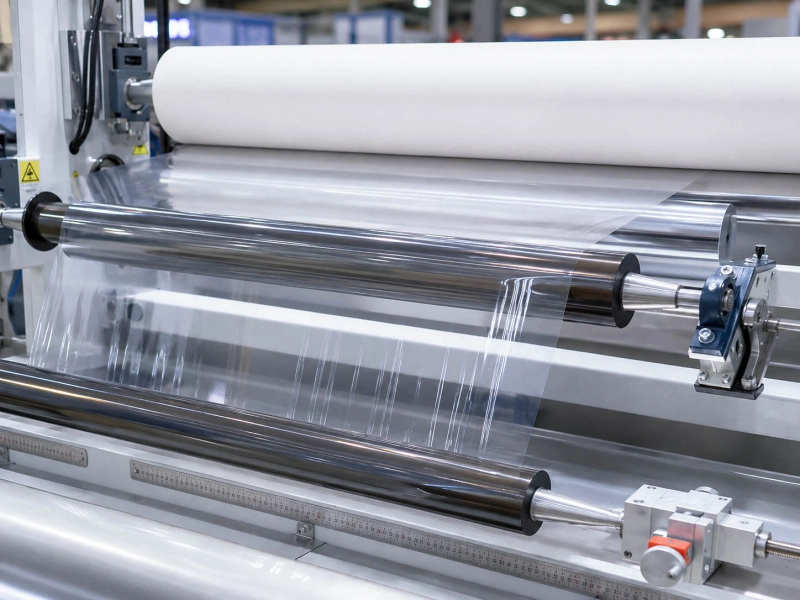
Where the web starts to move off path
Do not start from the final place where the web looks wrong. Start from the first place where the edge begins to move.
A web may look unstable near the winder, but the real movement can begin several rollers earlier. It may start after a guide roller, before a nip, near a traction section, after a tension change, or just before slitting. If the web is already off path before it reaches the final correction point, the later section is only showing the result.
A useful check is to watch the edge before and after each suspect roller. If the web is straight before a roller and starts walking after it, that roller position deserves attention. If the web drifts slowly across a longer distance, tension balance, web path, and frame alignment usually need to be checked first. If the edge jumps or changes direction near one roller, look at roller parallelism, runout, surface condition, contact pressure, and contamination around that point.
Also check whether the problem appears only at higher speed, after roll diameter changes, after a new roll is loaded, or after a roller has been replaced or adjusted. These details often show whether the issue is mainly from line setting, roller installation, or roller surface behavior.
Guide roller and path setup
Guide rollers affect more than the web path. They also affect wrap angle, side pull, edge stability, and how cleanly the web enters the next section.
If the web enters a guide roller at a slight angle, or leaves the roller with one side tighter than the other, the tracking problem can grow after several rollers. A small path error near the beginning of a section may become obvious near slitting, coating, laminating, or rewinding. This is common on thin film, release film, paper, foil, nonwoven, and other web materials that are sensitive to tension and surface contact.
Check whether the web sits evenly on the roller face. Look at the entry angle, exit angle, wrap angle, and whether the edge is rubbing against any guide side or frame. A guide roller that is slightly skewed, dirty on one side, slow to rotate, or worn near one edge can make the web correct itself in the wrong direction.
If the tracking issue starts around a guiding section, Guide Rollers are the main roller direction to review. The goal is not just to hold the web up. The roller should let the material pass through the section without adding side drag, uneven contact, or delayed correction.
Roller parallelism and installation
A roller can steer the web even when it is not designed to steer. If the roller is not parallel with nearby rollers, the web can slowly walk to one side.
Start with the roller axis. Check whether it is square to the machine direction and parallel to the upstream and downstream rollers. Then check the bearing seats, shaft ends, mounting frame, and whether one side of the roller is sitting under stress. A roller can look normal from the front, but one end may be slightly forward, backward, higher, or lower. That is enough to create edge movement on sensitive web materials.
For repeated tracking movement, measure runout or TIR. If the edge moves in a regular rhythm with roller rotation, roller accuracy becomes more important. If a crowned roller is used, confirm the crown direction and the original design purpose. A wrong crown direction or an incorrectly installed crowned roller can push the web differently from what the line expects.
High-speed sections need extra attention. If tracking instability appears together with vibration, noise, or a regular edge shake, check roller straightness, bearing condition, installation, and balance condition together. Balance grade is not the first thing to discuss on every tracking problem, but for long rollers or high-speed web lines, poor balance can make an already sensitive web path less stable.
Tension difference across width
Many tracking problems are tension problems seen at the edge. One side of the web runs tighter, the other side runs looser, and the material starts to walk, snake, or wrinkle.
This often appears after slitting, before rewinding, near a traction section, after a nip, or during roll diameter change. The web may run normally at low speed but drift when speed increases. It may stay stable on one product but move on a thinner, wider, or more flexible material. These signs usually mean the web is reacting to tension balance, not just to one guide position.
Check whether one edge is tight, curled, wavy, or pulling harder. Look at whether the web shifts when the tension setting changes. If the edge position changes as the roll builds up, the winding or tension zone needs to be checked together with the roller path.
For sections where web stability depends on controlled tension, Tension Control Rollers are closely related to tracking. The roller should rotate smoothly, contact evenly, and avoid adding extra drag on one side of the web. Surface wear, bearing drag, uneven pressure, and poor roller alignment can all make the tension difference across width more visible.
Surface friction difference
The web often follows the side with higher drag. When friction is different across the roller face, the roller can pull one side more than the other.
This happens when the roller surface is no longer even across its face length. One side may be polished and glossy. Another side may be worn, sticky, contaminated, swollen, hardened, or covered with fine residue. Sometimes the roller still looks acceptable from a distance, but under running contact, the web feels two different surfaces from left to right.
Check the roller surface under side light. Look for wear bands, glazing, adhesive build-up, powder, scratches, pressure marks, edge damage, and local swelling. Clean the roller and watch whether the tracking changes. If cleaning improves the edge position for a short time and the problem returns, the surface is not only dirty. The rubber direction, surface finish, contact pressure, working media, or old roller condition needs a closer look.
On Film Converting Rollers, this often shows together with slipping, wrinkles, static marks, or fine roller marks. A thin or smooth film may not tolerate small friction differences that a thicker web can still pass through. For higher-demand positions, surface finish, hardness, rubber cover condition, bonding, and roller accuracy should be checked together instead of judging only by the material name.
Static, dust, or contamination
Static, dust, and fine contamination can make a tracking problem look random. The web may cling to one roller, flutter near another section, attract particles, or move differently after cleaning.
This is common on thin film, release film, lithium battery separator film, foil, nonwoven, and other sensitive web materials. Static can change how the web separates from a roller surface. Dust, fiber debris, coating particles, adhesive residue, or edge scrap can build up on one side of the roller and create uneven contact. Once the surface is different from left to right, the web can start to drift even if the roller position looks correct.
Check the roller face, roller edge, nearby guide side, shaft area, and surrounding idlers. Do not only clean the center area. Many repeat tracking problems come back because dust or residue returns from the edge, frame, or nearby roller.
If edge instability appears together with dust pickup, particle marks, sudden clinging, poor release, or repeated contamination near the same roller, static control and roller surface cleanliness should be checked. When the roller itself needs to support cleaner contact or static control, Anti-Static / Conductive Rubber Rollers can be a relevant material direction.
When to check roller condition vs line setting
Start with line setting when the tracking changes after web path adjustment, guide correction, tension setting, speed change, roll loading, or operator adjustment. In these cases, the problem is usually connected with setup, roller path, tension balance, or how the web enters and leaves the section.
Check roller condition when the same roller area keeps causing trouble after basic setup has been corrected. The roller becomes more important when the edge starts moving near that roller, the movement repeats with rotation, the problem changes after cleaning, or tracking instability appears together with surface marks, slipping, wrinkles, residue, or pressure marks.
Also check the roller when the problem appears after replacement, re-covering, grinding, bearing work, or long running time. A new or re-covered roller can have the right size and still create tracking trouble if the surface finish, hardness, crown, runout, parallelism, or rubber cover condition does not match the working position.
For Slitting and Rewinding Line Rollers, tracking is often tied to guide stability, tension change, traction, pressure contact, and winding quality. If the web starts drifting before slitting or before rewinding, record the roller position, web width, thickness, tension setting, speed, edge behavior, and old roller surface condition. Those details are more useful than saying only “the web is running off.”
For standard replacement rollers, size, position, hardness, surface condition, and contact medium are enough to start. For more demanding positions, check the old failure pattern, roller accuracy, bonding, surface finish, and whether the rubber direction suits the actual contact condition.
Tracking Checklist for First Review
| What to check | What to look for | Why it matters |
|---|
| First movement point | The first place where the edge starts to walk | This shows which roller section or tension zone should be checked first |
| Web width and thickness | Wider, thinner, softer, or more flexible materials | Sensitive webs show small path and tension errors more clearly |
| Material type | Film, foil, paper, nonwoven, coated web, release film | Different materials react differently to static, friction, stiffness, and contact |
| Guide roller position | Entry angle, exit angle, wrap angle, edge rubbing | Poor path setup can create side pull or delayed correction |
| Roller parallelism | Roller axis, bearing seats, mounting frame, upstream/downstream alignment | A non-parallel roller can steer the web sideways |
| Tension setting | One edge tight, one edge loose, drift after tension change | Cross-width tension difference often appears as edge instability |
| Line speed | Stable at low speed but unstable at higher speed | Speed can expose vibration, drag, surface friction, or balance issues |
| Runout / TIR | Repeating edge movement or regular web shake | Roller accuracy may be part of the tracking problem |
| Crown direction, if used | Whether crown matches the original design direction | Wrong crown direction can move the web unexpectedly |
| Surface condition | Glazing, wear bands, residue, swelling, scratches, edge damage | Different friction across the face can pull the web to one side |
| Static and contamination | Dust pickup, clinging, particle marks, adhesive build-up | Static and residue can disturb clean, even web contact |
| Old roller photos | Surface wear, edge marks, pressure marks, contamination | Photos help confirm whether the roller condition is worth checking |
Related Pages
- Guide Rollers — For path control, edge stability, and web guiding around roller positions.
- Tension Control Rollers — For tracking issues linked to tension difference, roll diameter change, and web movement.
- Anti-Static / Conductive Rubber Rollers — For static, dust pickup, particle contamination, and sensitive web contact.
- Film Converting Rollers — For film lines where tracking appears together with slipping, wrinkles, static, or surface marks.
- Slitting and Rewinding Line Rollers — For edge instability before slitting, rewinding, winding contact, or tension change.
Custom Roller Manufacturing and Quality Control
A reliable rubber roller is not only about size. Compound direction, hardness stability, cover thickness, surface finish, shaft structure, and running accuracy all affect how the roller performs on the line.
Wolorin supports both routine replacement rollers and more demanding custom roller projects, with manufacturing, inspection, and documented quality checks matched to the project requirements. You can review our service scope, quality control process, and company background below.
Request a Quote
If you already have drawings, sizes, samples, or a clear specification, you can send them to us directly. We can proceed with custom manufacturing, quotation, or production confirmation based on your documents.
If the information is not complete yet, you can still start with old roller photos, roller position, product type, contact media, web width, thickness, tension setting, line speed, and where the tracking problem first appears.