Common Film Converting Defects

Wrinkles, fine lines, pressure marks, dust spots, tracking drift, and winding marks are common film converting defects. They may look like small surface problems, but they often point to changes in web tension, static, contact pressure, guiding, slitting, or rewinding.

Do not try to name the cause too early. First look at where the defect becomes visible. Does it appear before or after a certain section? Does it repeat at a fixed distance? Does it change when speed, tension, pressure, or roll diameter changes?

These details usually show whether the problem is closer to the film itself, the web path, the process setting, or a contact point on the line. For thin, glossy, coated, protective, or release films, even a small contact change can quickly become a visible defect. If several contact positions may be involved, the broader Film Converting Rollers page can help connect the problem with common roller positions on the line.

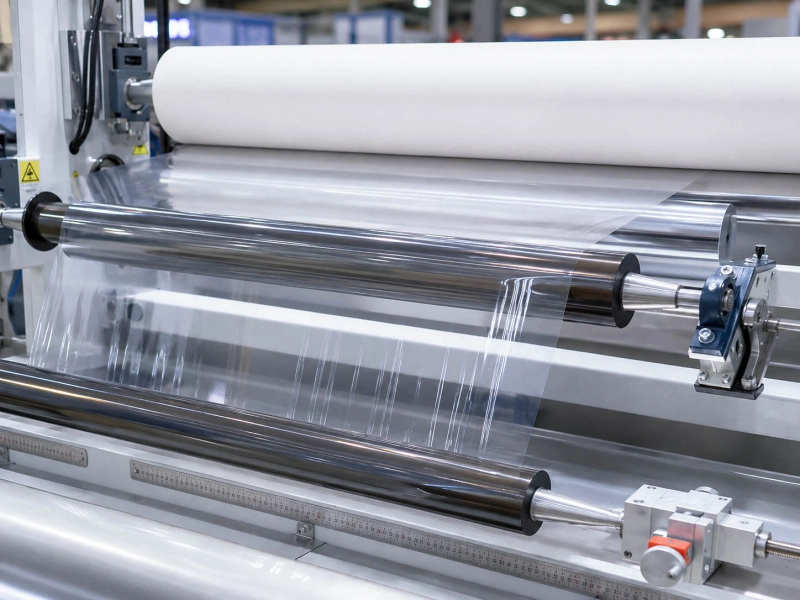
Optical film running through precision rollers on a polarizing film line

Quick check: what the defect pattern may tell you

Wrinkles

Common causes on the line

Uneven tension, poor spreading, unstable web path, edge tension difference, winding pressure change

When roller contact should be checked

Wrinkles appear near spreading, guiding, traction, or rewinding contact

Surface marks, lines, or pressure impressions

Common causes on the line

Dust, particles, coating streaks, hard contact, local pressure, sensitive film surface

When roller contact should be checked

Marks appear after a contact point, repeat at a fixed distance, or become stronger under pressure

Slipping around traction points

Common causes on the line

Low grip, speed mismatch, release film surface, contamination, unstable tension

When roller contact should be checked

Slipping stays around one traction or drive position

Static and dust pickup

Common causes on the line

Dry environment, high-speed separation, poor grounding, particle attraction

When roller contact should be checked

Dust becomes worse after a cleaning or contact position

Tracking instability

Common causes on the line

Edge guiding issue, uneven tension, roller misalignment, web path change

When roller contact should be checked

Film drifts around the same guide path or after a tension change

Repeat marks or winding marks

Common causes on the line

Fixed contact point, trapped particles, winding pressure, roll diameter change

When roller contact should be checked

The mark distance is close to the circumference of one roller

In many film converting problems, the roller is not the first thing to blame. But it becomes important when the defect clearly follows contact.

If a mark repeats at a fixed distance, becomes worse after a contact point, changes with pressure or tension, or stays around one roller position, the roller should be checked more carefully. The issue may be connected to the roller surface, contact pressure, rubber cover hardness, surface finish, contamination, roller runout, or the way the roller supports the film.

This is especially important for thin, glossy, protective, release, and surface-sensitive films. A small contact issue can quickly become a visible mark, wrinkle, slip, or tracking problem.

When the roller becomes a key part of the problem

Why does film wrinkle during converting or rewinding?

Film wrinkles usually come from uneven tension, poor spreading, unstable guiding, or pressure that is not balanced across the web. Thin, smooth, and bright films show these problems faster because they have less room to hide small tension changes.

If wrinkles appear near the spreading section, check the spreading effect first. Spreader Rollers are usually worth checking when wrinkles, poor flattening, or side-to-side web movement appears around that position. If the wrinkle changes with roll diameter, speed, or web tension, Tension Control Rollers should also be checked.

Why does film show surface marks, lines, or pressure impressions?

Film surface marks should be checked from the point where the mark first appears. Some marks come from coating streaks, dust, particles, cooling conditions, adhesive residue, or local pressure. So it is not useful to treat every surface mark as the same problem.

If pressure lines on film appear after a contact point, repeat at a fixed distance, or become stronger when pressure increases, start with the nip or contact area. A dirty surface, embedded particle, local hard spot, uneven grinding, excessive pressure, or slight roller runout can leave visible marks on glossy, protective, release, or surface-sensitive PET films. In low-mark contact positions, Solid Silicone Rollers are often reviewed when release behavior, surface protection, or gentler contact matters.

Why does film slip around traction or drive sections?

Slipping near a traction section usually means the film is not moving at the stable speed the line expects. The cause may be surface release, tension change, low contact pressure, contamination, speed mismatch, or worn contact surfaces.

If slipping always happens around one traction or drive position, that contact position needs closer checking. For Traction Rollers, the answer is not always to make the surface rougher. Some films need stronger grip. Some films need controlled contact without surface marks. The right direction depends on the film surface, pressure, speed, and roller position.

Why do static and dust build up on film surfaces?

Static is a common source of film converting problems, especially during unwinding, separation, slitting, rewinding, and high-speed web movement. Once static builds up, dust, fibers, powder, and small particles are easier to attract. On clear, glossy, protective, release, or electronic-use films, these small particles can quickly become visible surface defects.

The first checks are usually grounding, humidity, ionizing equipment, web path, and cleaning condition. If dust or particle pickup becomes worse after a certain contact or cleaning position, the contact surface and static discharge path should also be checked. In some positions, Anti-Static / Conductive Rubber Rollers can help reduce static-related handling problems.

Why does film tracking change before slitting or rewinding?

Tracking problems often appear before slitting, before rewinding, or after a tension change. The cause may be edge guiding, uneven web tension, roller alignment, winding pull, film thickness variation, or a small path change that becomes larger at higher speed.

Do not check only the edge sensor. Look at the web path before the problem point. A roller that is not parallel, not clean, locally worn, or uneven in surface friction can make the film drift. When tracking instability stays near one section, Guide Rollers are usually reviewed together with the tension path.

Why do repeat marks or winding contact marks appear after rewinding?

Repeat marks need one extra check: distance. If the mark repeats at a distance close to the circumference of one roller, that roller becomes an important clue. If the mark changes with winding pressure, roll diameter, or winding contact pressure, start with the rewinding contact area.

These marks can come from trapped particles, pressure that is too high for the film, a local hard point, surface damage, roller runout, or an uneven winding contact roller. Sometimes the mark is not obvious during running, but becomes visible after the film is wound and layer pressure builds up.

How Wolorin reviews roller-related film converting problems

Film converting problems are easier to judge when the defect, film type, roller position, and contact condition are looked at together. Wolorin reviews custom roller projects based on the actual working position, film surface, pressure, tension, speed, contact media, and the problem already seen on the line.

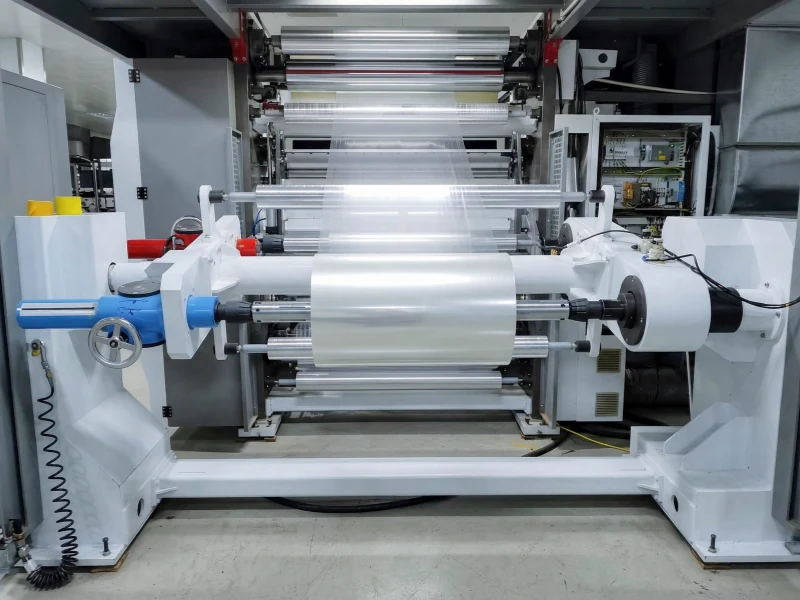
Clear plastic film being rewound on an industrial roller line

What to send for an initial review

If you already have drawings, dimensions, samples, or clear specifications, you can send them directly. Wolorin can use them for customization, quotation, or production confirmation.

If the information is not complete, you can still start with what you have. For film converting defects, the most useful information is usually simple:

photos or videos of the defect;
old roller photos, especially the roller surface and shaft ends;
roller position on the line;
film type, such as BOPP, PET, PE, protective film, or release film;
roller diameter, face length, shaft details, and cover thickness if available;
current hardness or material, if known;
whether the problem is wrinkles, surface marks, slipping, static, tracking, or winding marks;
whether the defect changes with speed, tension, pressure, or roll diameter;
any cleaning liquid, adhesive, coating, powder, or other contact media near the roller.

You do not need a complete technical file before contacting us. Clear photos, basic dimensions, the roller position, and the current problem are often enough to start the first review.

If you are not sure whether the problem comes from the film, the process, or the roller contact point, you can send the defect photos and the roller position first. We can help you narrow down what should be checked next.